Powerful features for smarter expense & invoice automation
Kkgevara provides a comprehensive set of AI-powered features that simplify financial operations, eliminate manual data entry, and improve the speed and accuracy of expense and invoice processing — so finance teams work more efficiently.

Document processing
Capture, extract and organize every document
From invoices to receipts, Kkgevara turns financial documents into structured, validated data — without manual data entry.
Invoice automation
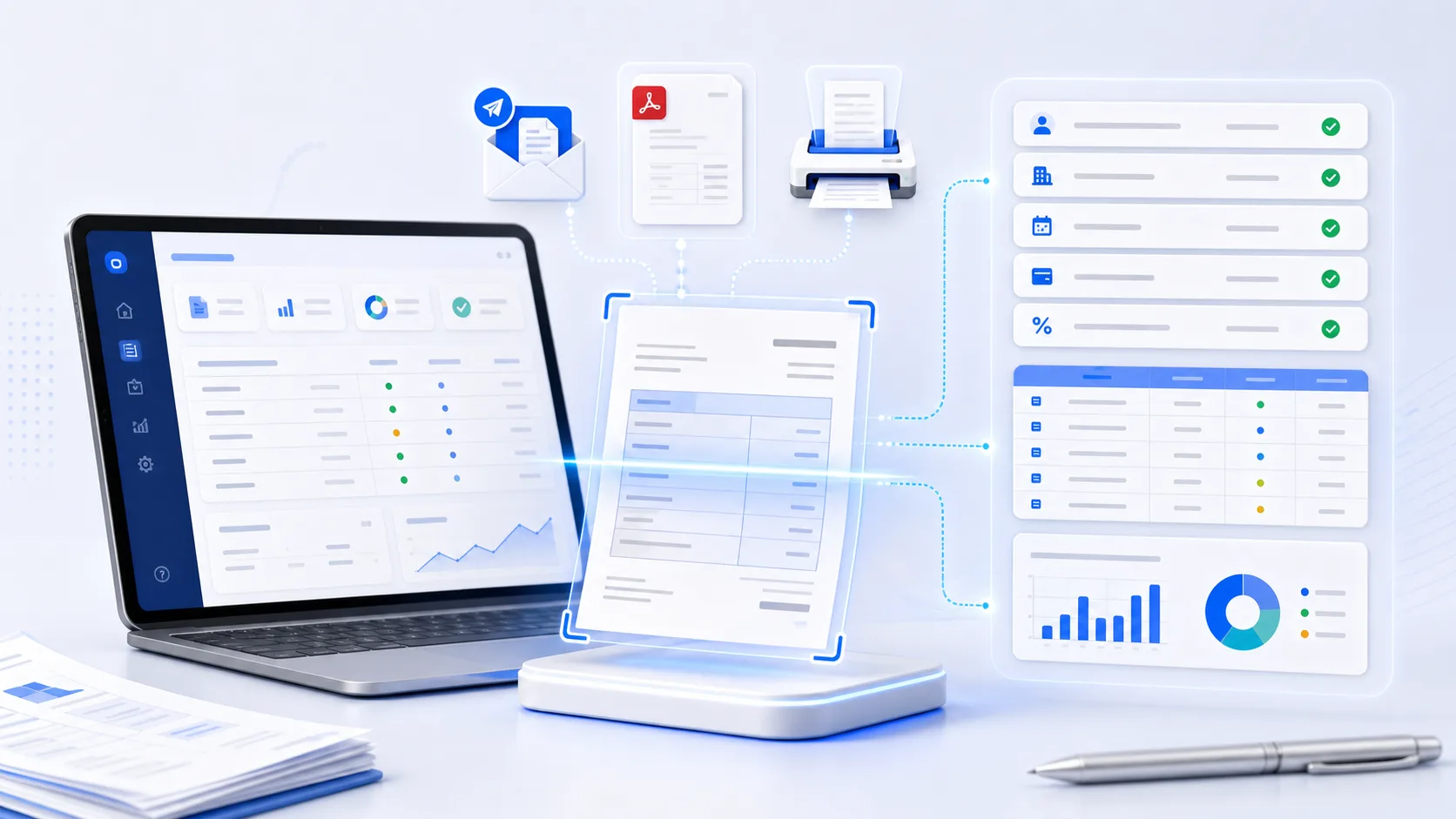
AI invoice processing
Process invoices automatically without manual data entry.
Upload invoices from PDFs, scanned documents, emails, or images, and Kkgevara extracts key financial information using AI-powered document intelligence.
Key capabilities
- Automatic invoice data extraction
- Multi-format document support
- Vendor information recognition
- Tax and GST extraction
- Line-item recognition
- Invoice validation
- Payment term identification
- Bulk invoice processing
Expense management
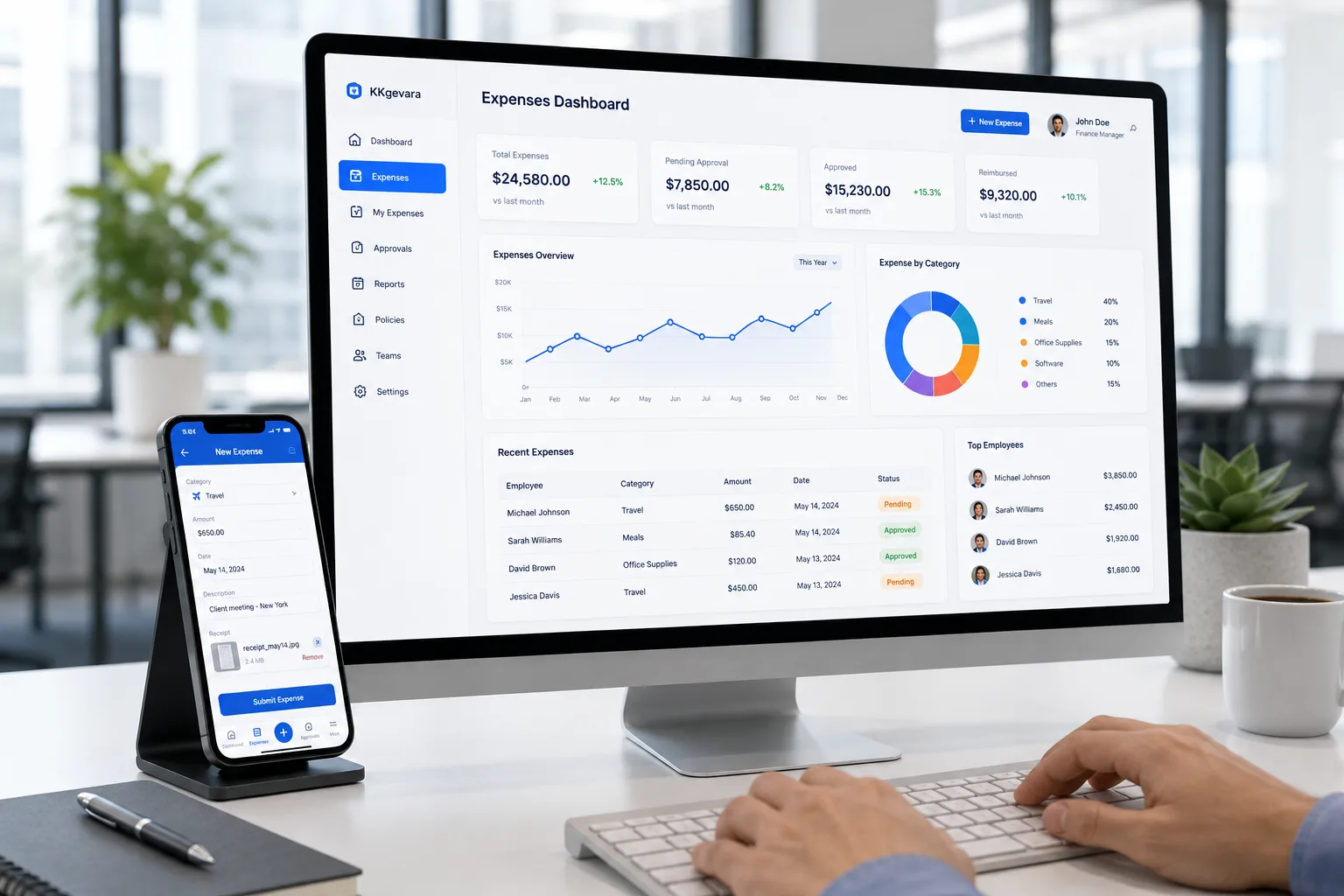
AI expense management
Manage business expenses from submission to reimbursement through a centralized platform.
Employees can upload receipts while finance teams review, approve, and track expenses in real time.
Features
- Employee expense tracking
- Receipt uploads
- Expense categorization
- Reimbursement management
- Policy compliance checks
- Approval notifications
- Department-wise tracking
- Expense history
GST-ready
CGST, SGST & IGST
Document intelligence
Intelligent OCR
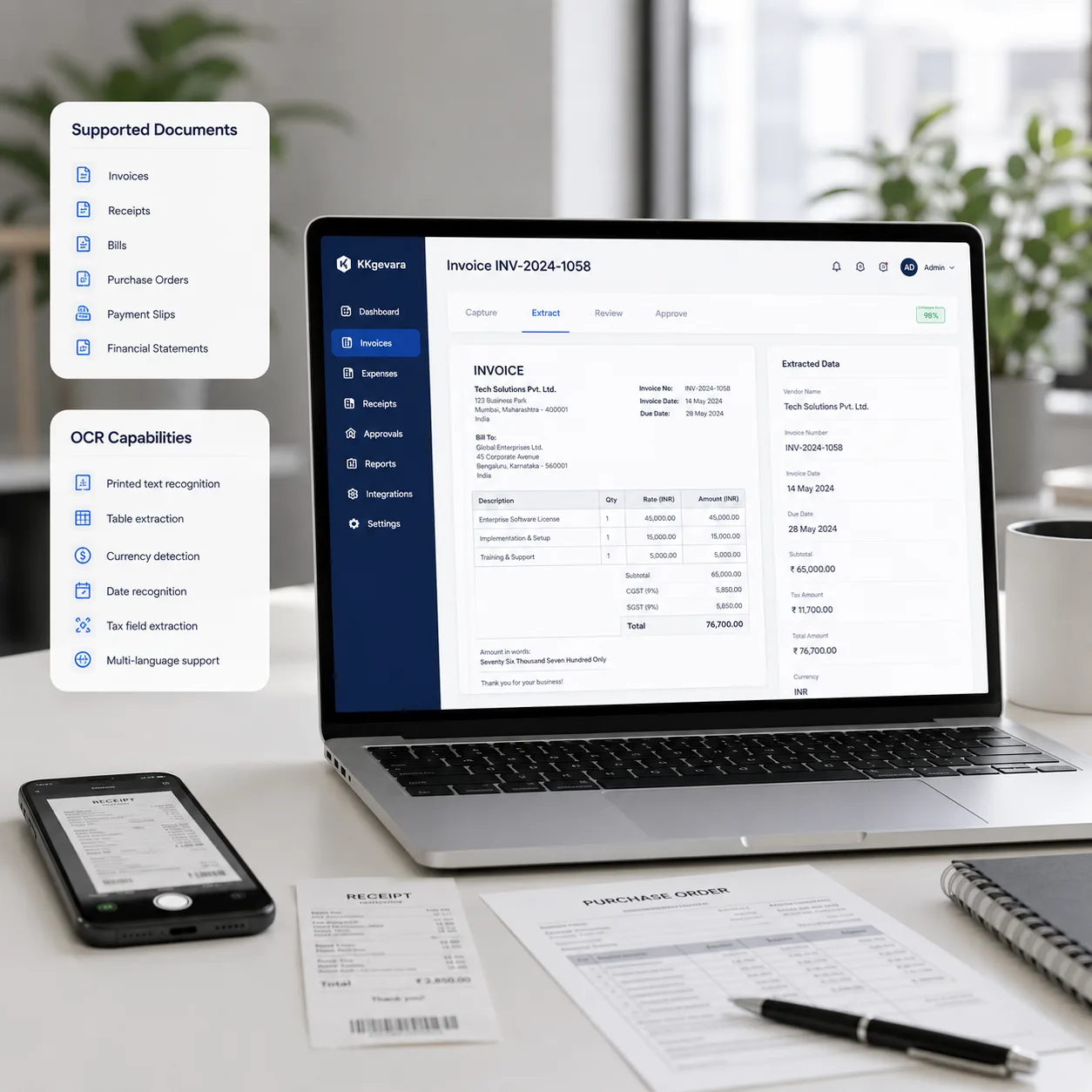
Extract structured information from financial documents with AI-powered Optical Character Recognition.
Supported documents
- Invoices
- Receipts
- Bills
- Purchase Orders
- Payment Slips
- Financial Statements
OCR capabilities
- Printed text recognition
- Table extraction
- Currency detection
- Date recognition
- Tax field extraction
- Multi-language support
 Approved
Workflow automation
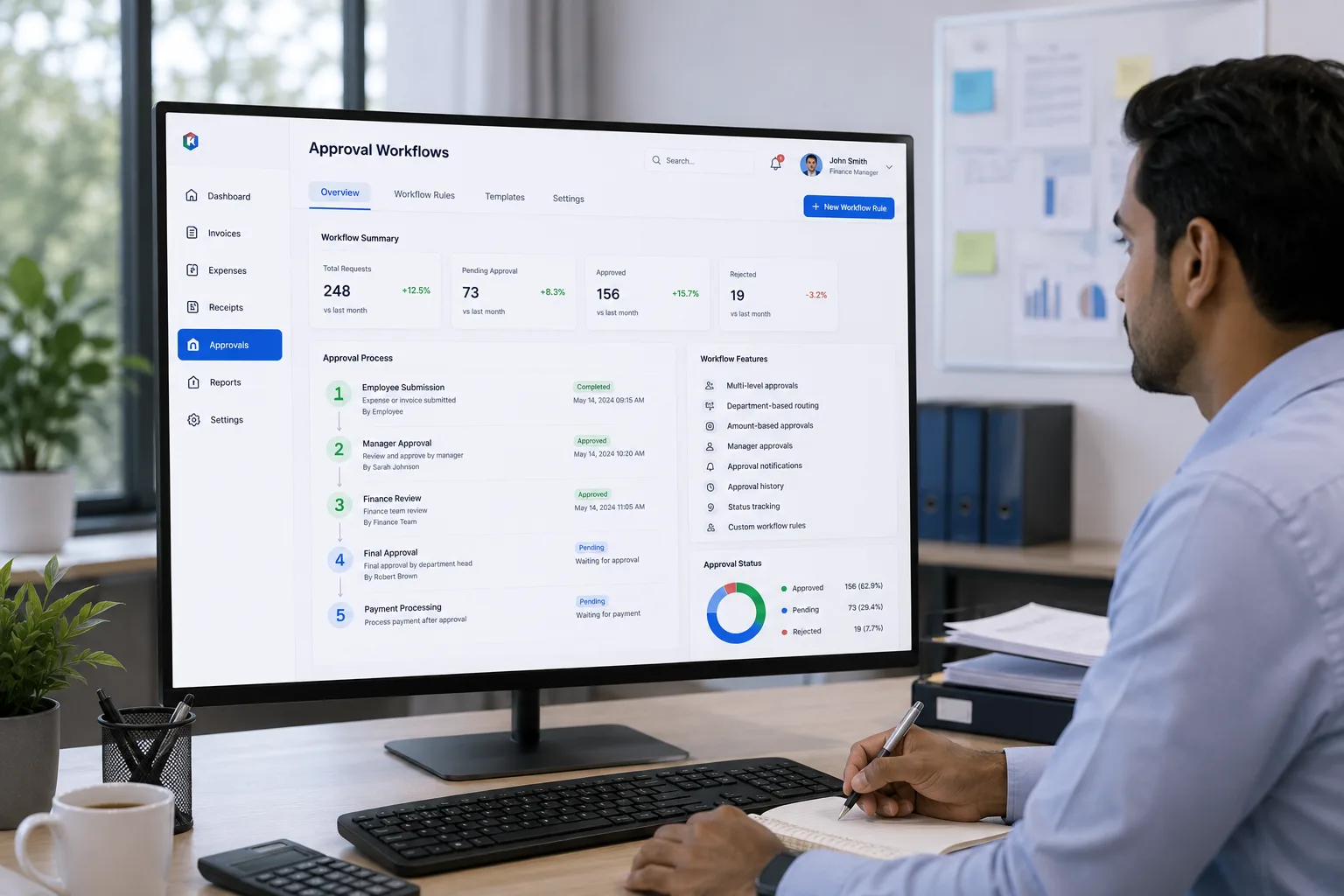
Automated approval workflows
Replace manual approvals with configurable digital workflows. Invoices and expense reports route to the appropriate approvers automatically, based on your business rules.
Workflow features
- Multi-level approvals
- Department-based routing
- Amount-based approvals
- Manager approvals
- Approval notifications
- Approval history
- Status tracking
- Custom workflow rules
More intelligence
Automation across the board
Machine-learning features that keep your finance data clean, searchable, and insightful.
AI expense categorization
Automatically classify expenses into accounting categories using machine learning.
Categories
- Travel
- Meals
- Accommodation
- Office Supplies
- Marketing
- Utilities
- Software
- Professional Services
Duplicate invoice detection
Identify duplicate invoices before they are approved for payment.
Detection factors
- Invoice Number
- Vendor Name
- Invoice Date
- Purchase Order
- Invoice Amount
- Tax Information
Smart search
Quickly find invoices, expenses, receipts, or vendors using natural language search.
Example searches
- Show unpaid invoices
- Invoices from ABC Company
- Marketing expenses over ₹25,000
- Pending approvals
- Expenses for last month
Analytics & reports
Monitor business spending through interactive dashboards and financial reports.
Reports include
- Expense Reports
- Vendor Reports
- Department Reports
- Invoice Status
- Tax Reports
- Approval Reports
- Monthly Spending
- Cost Analysis
Multi-currency support
Manage invoices and expenses across multiple currencies for global operations.
Capabilities
- Currency conversion
- International invoices
- Multi-country tracking
- Local tax support
- Exchange rate management
Connect & build
Integrations & developer API
Plug Kkgevara into the tools you already use, or build your own on our secure REST APIs.
Connect
Integrations
Connect Kkgevara with the software your business already uses.
- QuickBooks
- Zoho Books
- Tally
- Xero
- SAP
- Oracle NetSuite
- Microsoft Dynamics 365
- REST API
Build
Developer API
Integrate AI-powered expense automation into your applications.
- POST/v1/invoices/upload
- POST/v1/ocr/extract
- GET/v1/expenses
- GET/v1/search
- GET/v1/reports
- POST/v1/auth/token
- EVENT/v1/webhooks
Enterprise security
Protect financial data, end to end
Enterprise-grade security controls safeguard every layer — from encryption and access control to audit logging, monitoring, and automated backups.
- End-to-end encryption
- Secure cloud storage
- Role-based access control
- Multi-factor authentication
- Audit logs
- Secure API authentication
- Automated backups
- Activity monitoring

Mobile
Stay connected anywhere
Mobile-friendly access keeps finance moving, wherever your team is.
- Upload receipts
- Track expenses
- Approve invoices
- View dashboards
- Receive notifications
- Search documents
At a glance
Why choose Kkgevara?
One intelligent platform that automates the busywork so your finance team can focus on decisions, not data entry.
choose Kkgevara
Everything you get
- AI-powered automation
- Faster invoice processing
- Reduced manual data entry
- Accurate expense tracking
- Intelligent OCR technology
- Secure cloud platform
- Flexible integrations
- Scalable API access
- Real-time financial insights
- Built for businesses of all sizes
Ready to automate your finance operations?
Join modern finance teams that save time, reduce errors, and gain real-time financial visibility with AI-powered expense and invoice automation.
- AI-powered automation
- No setup fees
- Scales with you